Página com a apresentação dos principais recursos visuais que podem ser utilizados para criação de páginas.
Botão
O botão funciona com a extensão Bootstrap Components.
{{#bootstrap_button: Título_da_página_wiki|text=Texto que deseja|class=primary|size=lg}}
Texto que deseja
Rocinha
Criar conta
Entrar
Escrever um verbete
{{#bootstrap_button: Rocinha | Rocinha }}
{{#bootstrap_button: Especial:Criar_conta | text=Criar conta }}
{{#bootstrap_button: Especial:Autenticar-se | text=Entrar }}
{{#bootstrap_button: Wikifavelas:Escrever_um_verbete | text=Escrever um verbete }}
Exemplos de uso
Rocinha
Botão com link para página Rocinha
Criar conta
Botão com texto de rótulo diferente do link da página
Active conta
Botão ativado
Disabled
Botão desativado
Color Secondary
Botão especificado com a cor do tipo secondary
Dark
Botão especificado com a cor do tipo dark
Tipos de cores (color)
- default, primary, secondary, success, danger, warning, info, light, dark, white
Default
Primary
Secondary
Sucess
Danger
Warning
Info
Light
Dark
White
Tipos de atributos
- active
- class
- color
- disabled
- id
- outline
- size
- style
- text
- size
Content text for the panel
Content text for the panel
Etiquetas tipo parser
As etiquetas do tipo parser funcionam com as indicações:
< ... >seu conteúdo</ ... >
Bootstrap alert
<bootstrap_alert class=primary>Bootstrap Alert primary</bootstrap_alert>
Podem ser definidas as seguintes class:
primary, secondary, success, danger, warning, info, light, dark, white
bootstrap_alert primary
bootstrap_alert secondary
bootstrap_alert success
bootstrap_alert danger
bootstrap_alert warning
bootstrap_alert info
bootstrap_alert light
bootstrap_alert dark
bootstrap_alert white
Bootstrap Card

Bootstrap card Content text
<bootstrap_card class="card-body">
[[File:Image2.jpg|frameless|200px]]

Bootstrap card Content text
</bootstrap_card>
Bootstrap accordion
Texto Nível 1 Bootstrap card Content textBootstrap card Content textBootstrap card Content text Bootstrap card Content textBootstrap card Content textBootstrap card Content textBootstrap card Content textBootstrap card Content textBootstrap card Content textBootstrap card Content textBootstrap card Content textBootstrap card Content text
Texto Nível 2 Bootstrap card Content textBootstrap card Content textBootstrap card Content text
Texto Nível 3 Bootstrap card Content text Bootstrap card Content textBootstrap card Content textBootstrap card Content text Bootstrap card Content textBootstrap card Content textBootstrap card Content textBootstrap card Content textBootstrap card Content textBootstrap card Content textBootstrap card Content textBootstrap card Content textBootstrap card Content textBootstrap card Content textBootstrap card Content textBootstrap card Content text
Texto Nível 4 Bootstrap card Content text Bootstrap card Content textBootstrap card Content textBootstrap card Content text
Collapse
This text is not collapsible; but the next is collapsible and hidden by default:
This text is not collapsible; but the next is collapsible and hidden by default:
[1]
Bootstrap collapse
Clique para abrir
texto 1 Bootstrap card Content textBootstrap card Content textBootstrap card Content text Bootstrap card Content textBootstrap card Content textBootstrap card Content textBootstrap card Content textBootstrap card Content textBootstrap card Content textBootstrap card Content textBootstrap card Content textBootstrap card Content text
Texto 2 Bootstrap card Content textBootstrap card Content textBootstrap card Content text
Texto 3 Bootstrap card Content text Bootstrap card Content textBootstrap card Content textBootstrap card Content text Bootstrap card Content textBootstrap card Content textBootstrap card Content textBootstrap card Content textBootstrap card Content textBootstrap card Content textBootstrap card Content textBootstrap card Content textBootstrap card Content textBootstrap card Content textBootstrap card Content textBootstrap card Content text
Texto 4 Bootstrap card Content text Bootstrap card Content textBootstrap card Content textBootstrap card Content text
Botão com imagem
Clique para abrir 
texto 10 Bootstrap card Content textBootstrap card Content textBootstrap card Content text Bootstrap card Content textBootstrap card Content textBootstrap card Content textBootstrap card Content textBootstrap card Content textBootstrap card Content textBootstrap card Content textBootstrap card Content textBootstrap card Content text
Texto 20 Bootstrap card Content textBootstrap card Content textBootstrap card Content text
Texto 30 Bootstrap card Content text Bootstrap card Content textBootstrap card Content textBootstrap card Content text Bootstrap card Content textBootstrap card Content textBootstrap card Content textBootstrap card Content textBootstrap card Content textBootstrap card Content textBootstrap card Content textBootstrap card Content textBootstrap card Content textBootstrap card Content textBootstrap card Content textBootstrap card Content text
Texto 40 Bootstrap card Content text Bootstrap card Content textBootstrap card Content textBootstrap card Content text
Clique para abrir
texto 10 Bootstrap card Content textBootstrap card Content textBootstrap card Content text Bootstrap card Content textBootstrap card Content textBootstrap card Content textBootstrap card Content textBootstrap card Content textBootstrap card Content textBootstrap card Content textBootstrap card Content textBootstrap card Content text
Texto 20 Bootstrap card Content textBootstrap card Content textBootstrap card Content text
Texto 30 Bootstrap card Content text Bootstrap card Content textBootstrap card Content textBootstrap card Content text Bootstrap card Content textBootstrap card Content textBootstrap card Content textBootstrap card Content textBootstrap card Content textBootstrap card Content textBootstrap card Content textBootstrap card Content textBootstrap card Content textBootstrap card Content textBootstrap card Content textBootstrap card Content text
Texto 40 Bootstrap card Content text Bootstrap card Content textBootstrap card Content textBootstrap card Content text
Jumbotron
Meu jumbotrom
Meu texto apresenta as possibilidades do Jumbotrom
Modal
Panel
mesma função do card
Popover
Well
Tem a mesma função do card
Tags ativadas via extensions
Algumas estão em uso, outras ainda falta configurá-las neste teste.
Category Tree
Category Tree <categorytree>Filmes</categorytree>
Choose
utilizado no verbete em destaque
<collegehumor>
<dailymotion>
<disclose>
<divshare>
<dynamicpagelist>
<embedvideo>
<evlplayer>
<funnyordie>
Gallery
Gfycat publicar um gif do site gfycat
<gfycat>https://gfycat.com/amazinghollowhedgehog</gfycat>
<iframe>
Imagemap: Mapear imagens para click
<imagemap>
File:Example2.png|150px|alt=Alt text
default [[Página principal|Ir para página principal]]
</imagemap>
Imagem mapeada vai para a página principal
Imagem com vários pontos de mapeamento
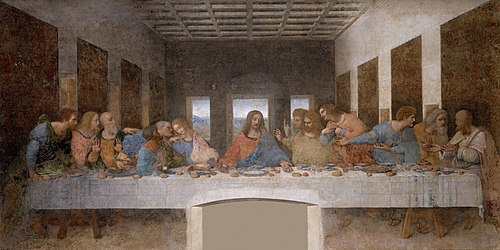 Image map example. Clicking on a person in the picture causes the browser to load the appropriate article.
<indicator>
<info>
<inputbox>
<itimeline>
<jwplayer>
<kickstarter>
languages
<mediacccde>
<metacafe>
<nico>
nowiki
<pdf>
<poem>
pre formatado
<rating>
[1]
<references>
<rutube>
<smashcast>
<smwdoc>
<soundcloud>
<tagcloud>
<teachertube>
<ted>
<templatedata>
<timeline>
<tubitv>
<tudou>
<tvpot>
<twitch>
<twitchclip>
<twitchvod>
<videomaten>
<vimeo>
<vine>
<vplayer>
<yahoo>
<youku>
<youtube>
<youtubeplaylist>
<youtubevideolist>
Vídeos
O EmbedVideo está faltando um parâmetro requerido.
<bambuser></bambuser>
<bambuser_channel></bambuser_channel>
<beam>teste beam</beam>
<bing>teste bing</bing>
<blip>teste blip</blip>